Next.js에서 Supabase SSR 인증을 위해 browser client와 server client를 어떻게 나누나요?
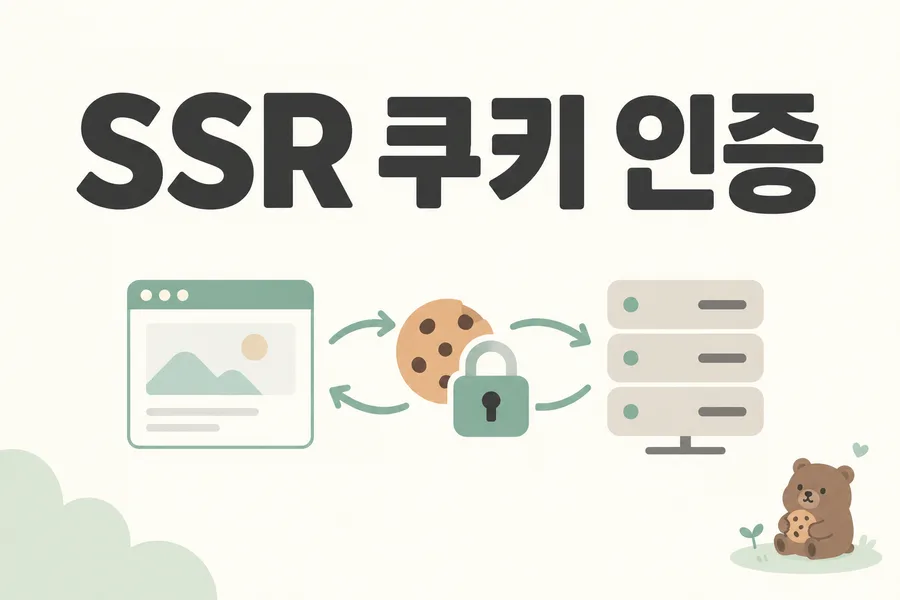
Next.js 서버는 브라우저의 localStorage를 직접 읽지 못하므로 SSR 인증에는 요청의 쿠키와 서버 검증이 필요합니다. Supabase의 browser client와 server client를 나누고 요청별 세션을 연결하세요.
적용 조건·범위: 이 글의 완성 샘플에는 @supabase/supabase-js 2.116.0과 @supabase/ssr 0.12.7이 함께 포함되어 있습니다. 별도 폴더에서 시작할 때는 아래 ZIP의 package-lock.json과 README를 기준으로 설치합니다.
본문 근거: supabase.com/docs/guides/auth/server-side · supabase.com/docs/guides/auth/server-side/creating-a-client · supabase.com/docs/guides/auth/server-side/advanced-guide
브라우저 세션과 SSR 세션
브라우저 전용 Auth 구성에서는 브라우저 SDK가 자신의 저장소에서 세션을 관리합니다.
Server Component는 브라우저 localStorage를 읽을 수 없습니다.
브라우저 저장소
→ 브라우저만 접근

요청 Cookie
→ Next.js 서버도 접근
SSR에서는 인증 세션을 쿠키에 저장해 브라우저와 서버가 같은 요청 흐름을 공유합니다.
@supabase/ssr 설치
npm install @supabase/ssr
이 글의 완성 샘플에는 @supabase/supabase-js 2.116.0과 @supabase/ssr 0.12.7이 함께 포함되어 있습니다. 별도 폴더에서 시작할 때는 아래 ZIP의 package-lock.json과 README를 기준으로 설치합니다.
브라우저 client 교체
브라우저 client인 lib/supabase/client.ts를 @supabase/ssr의 createBrowserClient로 구성합니다. 기존 브라우저 전용 client가 있다면 그 역할을 이 구현으로 바꿉니다.
createBrowserClient는 기본적으로 PKCE 흐름을 사용합니다. 이 실습은 이메일 확인 링크 클릭 후 자동 로그인하는 code 교환 콜백을 구현하지 않습니다. 메일 확인을 마친 뒤 /login에서 이메일과 비밀번호로 명시적으로 로그인해 쿠키 세션을 만듭니다. OAuth·매직 링크·확인 직후 자동 로그인은 별도 콜백 구현이 필요한 범위입니다.
import { createBrowserClient } from '@supabase/ssr';

export function createClient() {
  return createBrowserClient(
    process.env.NEXT_PUBLIC_SUPABASE_URL!,
    process.env.NEXT_PUBLIC_SUPABASE_PUBLISHABLE_KEY!,
  );
}
서버 client
lib/supabase/server.ts:
import { createServerClient } from '@supabase/ssr';
import { cookies } from 'next/headers';

export async function createClient() {
  const cookieStore =
    await cookies();

  return createServerClient(
    process.env.NEXT_PUBLIC_SUPABASE_URL!,
    process.env.NEXT_PUBLIC_SUPABASE_PUBLISHABLE_KEY!,
    {
      cookies: {
        getAll() {
          return cookieStore.getAll();
        },
        setAll(cookiesToSet) {
          try {
            cookiesToSet.forEach(
              ({
                name,
                value,
                options,
              }) => {
                cookieStore.set(
                  name,
                  value,
                  options,
                );
              },
            );
          } catch {
            // Server Component에서는
            // cookie write가 불가능할 수 있습니다.
            // Proxy가 갱신을 담당합니다.
          }
        },
      },
    },
  );
}
server client를 module 전역 singleton으로 만들지 않습니다.
요청마다 쿠키가 다르기 때문입니다.
왜 Proxy가 필요한가
Supabase 공식 Next.js 가이드는 Proxy에서 getClaims를 호출해 토큰을 검증·갱신하고 새 쿠키를 request와 response 양쪽에 반영하도록 설명합니다.
request.cookies
→ 같은 요청의 Server Component

response.cookies
→ 브라우저의 다음 요청
Next.js 16에서는 파일명이 proxy.ts입니다.
Next.js 15 이하 예제에서는 middleware.ts를 사용하므로 설치된 버전에 맞춰야 합니다.
lib/supabase/proxy.ts
아래 코드는 요청 쿠키를 읽고 인증 갱신 결과를 응답에 보존하는 핵심 부분입니다. 실행 예제의 전체 파일은 아래 완성 샘플에 있습니다.
import { createServerClient } from '@supabase/ssr';
import {
  NextResponse,
  type NextRequest,
} from 'next/server';

export async function updateSession(
  request: NextRequest,
) {
  let response =
    NextResponse.next({
      request,
    });

  const supabase =
    createServerClient(
      process.env.NEXT_PUBLIC_SUPABASE_URL!,
      process.env.NEXT_PUBLIC_SUPABASE_PUBLISHABLE_KEY!,
      {
        cookies: {
          getAll() {
            return request.cookies.getAll();
          },
          setAll(
            cookiesToSet,
            headers,
          ) {
            cookiesToSet.forEach(
              ({ name, value }) => {
                request.cookies.set(
                  name,
                  value,
                );
              },
            );

            response =
              NextResponse.next({
                request,
              });

            cookiesToSet.forEach(
              ({
                name,
                value,
                options,
              }) => {
                response.cookies.set(
                  name,
                  value,
                  options,
                );
              },
            );

            for (
              const [name, value]
              of Object.entries(headers)
            ) {
              response.headers.set(
                name,
                value,
              );
            }
          },
        },
      },
    );

  await supabase.auth.getClaims();

  return response;
}
@supabase/ssr은 beta이므로 setAll callback의 타입과 headers 전달 방식은 설치된 버전의 타입 정의와 공식 예제를 최우선으로 확인합니다.
핵심은 새 response를 만들 때 갱신된 cookie와 캐시 관련 header를 잃지 않는 것입니다.
프로젝트 루트 proxy.ts
import type { NextRequest } from 'next/server';

import { updateSession } from '@/lib/supabase/proxy';

export async function proxy(
  request: NextRequest,
) {
  return updateSession(
    request,
  );
}

export const config = {
  matcher: [
    '/((?!_next/static|_next/image|favicon.ico|.*\\.(?:svg|png|jpg|jpeg|gif|webp)$).*)',
  ],
};
getClaims / getUser / getSession
세 함수는 목적이 다릅니다.
getClaims
페이지와 사용자 데이터를 보호할 때 기본 선택입니다.
현재 공식 문서는 getClaims가 access token의 서명을 검증한다고 설명합니다.
const {
  data,
  error,
} = await supabase.auth.getClaims();
getUser
Auth 서버의 최신 사용자 레코드가 필요할 때 사용합니다.
const {
  data: { user },
} = await supabase.auth.getUser();
getSession
raw access token, refresh token, 만료 시간 같은 session 자체가 필요할 때 사용합니다.
서버 권한 판단에서는 getSession의 user 객체만 단독으로 신뢰하지 않습니다.
페이지 보호
→ getClaims

최신 사용자 레코드
→ getUser

raw session/token
→ getSession
보호된 Server Component
import { redirect } from 'next/navigation';

import { createClient } from '@/lib/supabase/server';

export default async function TasksPage() {
  const supabase =
    await createClient();

  const {
    data,
    error,
  } = await supabase.auth.getClaims();

  if (
    error
    || !data?.claims?.sub
  ) {
    redirect('/login');
  }

  const { data: tasks, error: tasksError } =
    await supabase
      .from('tasks')
      .select(
        'id, title, status, created_at',
      )
      .order(
        'created_at',
        {
          ascending: false,
        },
      );

  if (tasksError) {
    throw tasksError;
  }

  return (
    <main>
      <h1>내 작업</h1>

      <pre>
        {JSON.stringify(
          tasks ?? [],
          null,
          2,
        )}
      </pre>
    </main>
  );
}
사용자별 데이터 제한은 RLS가 담당합니다.
로그인 후 새로고침하면 풀릴 때
1. client.ts가 createBrowserClient인가
2. server.ts가 현재 요청 cookie를 읽는가
3. proxy.ts가 실행되는가
4. getClaims가 호출되는가
5. request cookie가 갱신되는가
6. response Set-Cookie가 갱신되는가
7. 새 Response 생성 중 cookie/header를 잃지 않았는가
Network에서는 토큰 값을 기록하지 않고 cookie 이름과 Set-Cookie 존재 여부만 확인합니다.
인증 응답과 공유 캐시
세션 갱신 응답에는 Set-Cookie가 포함될 수 있습니다.
공유 캐시가 이 응답을 다른 사용자에게 재사용하면 심각한 인증 혼선이 생길 수 있습니다.
최신 @supabase/ssr은 갱신 시 필요한 캐시 헤더를 전달하는 방향으로 개선되어 있습니다.
custom response를 만들 때 cookies뿐 아니라 관련 headers도 보존합니다.
자주 발생하는 오류
createBrowserClient를 서버에서 사용한다
브라우저와 서버의 cookie 책임이 다릅니다.
server client를 전역 하나로 만든다
요청별 쿠키가 섞일 수 있습니다.
Proxy에서 getSession만 신뢰한다
서버의 신원 검증은 getClaims 중심으로 구성합니다.
새 NextResponse를 만들면서 Set-Cookie를 잃는다
갱신된 쿠키와 캐시 헤더를 보존합니다.
Next.js 16인데 middleware.ts만 만든다
Next.js 16 convention은 proxy.ts입니다.
이 기술만 따로 연습하기
이 글의 완성 실습 ZIP을 별도 폴더에 풀어 단독 샘플로 사용합니다. 이전 회차의 작업 폴더는 필요하지 않습니다. Node.js 24 계열과 ZIP의 package-lock.json을 기준으로 README의 설치·환경 변수 절차를 한 번 진행합니다. 필요한 개발용 Supabase 프로젝트와 공개 가능한 URL·publishable key는 독자가 준비합니다. 실습은 운영 데이터와 분리합니다. 전체 파일은 아래 코드 보기에서도 확인할 수 있습니다.
필요한 선수 기술은 Next.js App Router와 쿠키, Supabase Auth입니다. 3회차나 7회차 프로젝트를 직접 완성하지 않아도 이 샘플에 browser/server client와 proxy.ts가 함께 들어 있습니다.
- README의 개발 DB 준비와 로그인 설정 후 /tasks를 로그인하지 않은 브라우저에서 열어 /login으로 이동하는지 확인합니다.
- 로그인한 뒤 /tasks를 새로고침하고 Server Component가 같은 사용자를 확인하는지 봅니다. 쿠키 값이나 access token 자체는 기록하지 않습니다.
- 다른 비로그인 브라우저 프로필에서 /tasks를 열고 첫 브라우저 사용자의 응답이 공유되지 않는지 확인합니다.
- 로그아웃 후 다시 /tasks를 새로고침합니다. 보호 페이지 접근이 막히는지 기록합니다. 토큰 만료·갱신은 별도 시간 조건이 필요한 추가 테스트로 남깁니다.
기대 결과: 비로그인과 로그아웃 요청은 로그인 화면으로 이동하고, 인증된 요청은 해당 사용자의 목록을 서버에서 읽습니다. 빈 목록은 로그인 실패와 다를 수 있습니다.
자가 확인·변형: server client를 전역 하나로 만들면 왜 곤란할까요? 사용자 쿠키는 요청별로 달라지기 때문입니다. proxy.ts는 Next.js 16 기준이며 이전 버전에서는 해당 파일 규칙을 그대로 적용하지 않습니다.
검증 범위: 실제 Supabase 요청, 계정 생성, 메일 발송, 원격 DB 정책·실행 계획 검증은 이 편집에서 실행하지 않았습니다. 위 결과는 독자가 확인할 기대값입니다.
학습 완료 체크리스트
- SSR에서 쿠키 기반 세션이 필요한 이유를 설명할 수 있습니다.
- browser client와 server client를 구분할 수 있습니다.
- Proxy가 request와 response cookie를 모두 갱신하는 이유를 알고 있습니다.
- getClaims, getUser, getSession 역할을 구분할 수 있습니다.
- 서버에서 getSession user만 권한 판단에 사용하면 안 되는 이유를 알고 있습니다.
- 인증 응답 공유 캐시 위험을 알고 있습니다.
선택 실습: 할 일 앱에 적용하기
TaskFlow는 작업을 추가·완료·삭제하는 할 일 앱입니다. 이 선택 실습에서는 데이터 저장·인증·접근 권한을 연결합니다.
이번 주제: Next.js Supabase SSR 인증: @supabase/ssr와 쿠키 설정.
선택: 연재 프로젝트와 전체 자료
연재 프로젝트를 이어 만드는 분을 위한 자료입니다. 이 글의 개념과 예제만 찾으셨다면 필요한 파일과 실행 방법만 펼쳐보세요.
TaskFlow 프로젝트 적용
이전 단계 시작 ZIP을 먼저 별도 작업 폴더에 풉니다. 현재 회차 ZIP은 적용 후 비교할 완성본입니다.
7회차 시작 ZIP에서 browser client를 교체하고 server.ts, lib/supabase/proxy.ts, 루트 proxy.ts와 보호된 app/tasks/page.tsx를 적용합니다. 요청별 사용자 쿠키를 서버에 전달하기 위한 변경입니다.
이전 체크포인트
supabase-step-07-rls-policy-test
이번 변경 파일
lib/
└─ supabase/
   ├─ client.ts
   ├─ server.ts
   └─ proxy.ts

proxy.ts

app/
└─ tasks/
   └─ page.tsx
전체 파일·코드 보기
실습 프로젝트 전체 코드
아래는 이 회차까지의 코드를 누적한 독립 실행용 최소 Next.js App Router 학습 앱 전체입니다. 기존 Next.js 38편 앱 전체를 복제한 것이 아닙니다. ZIP에는 의존성 잠금 파일 package-lock.json도 포함되며 본문에서는 이 자동 생성 잠금 파일만 생략합니다. 기존 TaskFlow 앱을 이어서 사용한다면 기존 설정을 보존하고 해당 회차 변경 파일을 적용하세요.
.env.example
NEXT_PUBLIC_SUPABASE_URL=
NEXT_PUBLIC_SUPABASE_PUBLISHABLE_KEY=
.gitignore
node_modules/
.next/
.env.local
*.tsbuildinfo
app/auth/confirmed/page.tsx
export default function AuthConfirmedPage() {
  return (
    <main>
      <h1>이메일 확인 안내</h1>
      <p>메일의 확인 링크를 완료했다면 로그인 화면에서 이메일과 비밀번호로 로그인해 주세요.</p>
      <p>이 페이지를 열었다는 사실만으로 인증 상태를 판정하지 않습니다.</p>
    </main>
  );
}
app/layout.tsx
import type { ReactNode } from "react";
export default function RootLayout({ children }: { children: ReactNode }) { return <html lang="ko"><body>{children}</body></html>; }
app/login/page.tsx
import { AuthForm } from '@/components/auth/auth-form';


export default function LoginPage() {
  return (
    <main>
      <h1>TaskFlow 로그인</h1>
      <AuthForm />
    </main>
  );
}
app/page.tsx
import Link from "next/link";
export default function Home() { return <main><h1>TaskFlow Supabase</h1><Link href="/tasks">작업 목록</Link> <Link href="/login">로그인</Link></main>; }
app/tasks/page.tsx
import {
  redirect,
} from 'next/navigation';


import {
  createClient,
} from '@/lib/supabase/server';


export default async function TasksPage() {
  const supabase =
    await createClient();


  const {
    data,
    error,
  } = await supabase.auth.getClaims();


  if (
    error
    || !data?.claims?.sub
  ) {
    redirect('/login');
  }


  const { data: tasks, error: tasksError } =
    await supabase
      .from('tasks')
      .select(
        'id, title, status, created_at',
      )
      .order(
        'created_at',
        {
          ascending: false,
        },
      );


  if (tasksError) {
    throw tasksError;
  }

  return (
    <main>
      <h1>내 작업</h1>


      <pre>
        {JSON.stringify(
          tasks ?? [],
          null,
          2,
        )}
      </pre>
    </main>
  );
}
components/auth/auth-form.tsx
'use client';


import { FormEvent, useEffect, useState } from 'react';
import type { Session } from '@supabase/supabase-js';


import { createClient } from '@/lib/supabase/client';


export function AuthForm() {
  const supabase = createClient();


  const [session, setSession] = useState<Session | null>(null);
  const [email, setEmail] = useState('');
  const [password, setPassword] = useState('');
  const [message, setMessage] = useState('');
  const [pending, setPending] = useState(false);


  useEffect(() => {
    void supabase.auth.getSession().then(({ data }) => {
      setSession(data.session);
    });


    const {
      data: { subscription },
    } = supabase.auth.onAuthStateChange((_event, nextSession) => {
      setSession(nextSession);
    });


    return () => subscription.unsubscribe();
  }, [supabase]);


  async function signUp(event: FormEvent<HTMLFormElement>) {
    event.preventDefault();
    setPending(true);
    setMessage('');


    const { data, error } = await supabase.auth.signUp({
      email,
      password,
    });


    setPending(false);


    if (error) {
      setMessage(error.message);
      return;
    }


    setMessage(
      data.session
        ? '가입과 로그인이 완료되었습니다.'
        : '가입 요청이 완료되었습니다. 이메일을 확인해 주세요.',
    );
  }


  async function signIn() {
    setPending(true);
    setMessage('');


    const { error } = await supabase.auth.signInWithPassword({
      email,
      password,
    });


    setPending(false);
    setMessage(error ? error.message : '로그인했습니다.');
  }


  async function signOut() {
    setPending(true);
    setMessage('');


    const { error } = await supabase.auth.signOut();


    setPending(false);
    setMessage(error ? error.message : '로그아웃했습니다.');
  }


  if (session) {
    return (
      <section>
        <p>로그인 상태입니다.</p>
        <p>{session.user.email}</p>
        <button type="button" onClick={signOut} disabled={pending}>
          로그아웃
        </button>
        {message && <p>{message}</p>}
      </section>
    );
  }


  return (
    <form onSubmit={signUp}>
      <label>
        이메일
        <input
          type="email"
          value={email}
          onChange={(event) => setEmail(event.target.value)}
          required
        />
      </label>


      <label>
        비밀번호
        <input
          type="password"
          value={password}
          onChange={(event) => setPassword(event.target.value)}
          minLength={8}
          required
        />
      </label>


      <button type="submit" disabled={pending}>
        회원가입
      </button>


      <button type="button" onClick={signIn} disabled={pending}>
        로그인
      </button>


      {message && <p>{message}</p>}
    </form>
  );
}
docs/auth-email-template.md
# Auth Email Template


## 대상


Confirm signup


## 제목


TaskFlow 회원가입을 확인해 주세요


## 버튼


이메일 확인하기


## 반드시 유지할 값


ConfirmationURL


## 검증


- 제목 확인
- 본문 확인
- 링크 존재 확인
- 클릭 후 이메일 확인 상태 확인
- redirect 확인


## 주의


2026-06-03 이후 무료 플랜 기본 이메일 발송 인프라의 템플릿 커스터마이징 제한을 발행/적용 시점에 다시 확인한다.
docs/auth-redirect-checklist.md
# Auth Redirect Checklist


- 로컬 Redirect URL 등록
- 운영 Redirect URL 등록
- Site URL 확인
- emailRedirectTo와 허용 URL 일치
- 링크 클릭 후 최종 이동 확인
- 실제 토큰/개인정보를 문서에 기록하지 않음
docs/authorization-matrix.md
# TaskFlow Authorization Matrix


## profiles


anon
- SELECT deny
- INSERT deny
- UPDATE deny
- DELETE deny


authenticated owner
- SELECT allow
- INSERT allow
- UPDATE allow
- DELETE deny


authenticated other
- all deny


## tasks


anon
- all deny


authenticated owner
- SELECT allow
- INSERT allow
- UPDATE allow
- DELETE allow


authenticated other
- SELECT hidden
- INSERT with other's owner_id deny
- UPDATE no rows
- DELETE no rows


ownership transfer
- deny
docs/backend-choice.md
# TaskFlow Backend Choice


## 시작점


next-step-38-cache-update


## 선택


Supabase


## 이유


- PostgreSQL 관계형 데이터 모델을 직접 학습한다.
- Supabase Auth와 Postgres 사용자를 연결한다.
- GRANT와 RLS를 이용해 사용자별 데이터 격리를 학습한다.
- Next.js App Router에서 쿠키 기반 SSR 인증을 연결한다.
- 관계 조회와 인덱스까지 하나의 데이터 계층에서 학습한다.


## 이번 과정에서 사용하는 기능


- PostgreSQL
- Auth
- Data API
- Row Level Security
- @supabase/supabase-js
- @supabase/ssr


## 이번 과정에서 필수로 다루지 않는 기능


- Realtime
- Storage
- Edge Functions


필요 기능이 아니므로 과정 범위를 무리하게 늘리지 않는다.


## 보안 원칙


- 브라우저에는 publishable key만 사용한다.
- secret key는 클라이언트에 포함하지 않는다.
- 사용자 데이터는 RLS를 활성화한다.
- 화면에서 숨기는 것으로 권한 검증을 대신하지 않는다.
- 실제 인증 토큰과 개인정보를 학습 자료에 저장하지 않는다.


## 백엔드 트랙


Firebase 완료본을 이어서 수정하지 않는다.


Next.js TaskFlow 최종 체크포인트에서 별도 Supabase 브랜치를 시작한다.


## 다음 단계


Supabase 프로젝트를 만들고 공개 학습 데이터를 한 번 조회한다.
docs/data-model.md
# TaskFlow Supabase Data Model


## Auth


auth.users
- Supabase Auth 계정
- 앱 프로필 데이터를 직접 추가하지 않음


## profiles


public.profiles
- id → auth.users.id
- display_name
- created_at


## tasks


public.tasks
- id
- owner_id → public.profiles.id
- title
- status
- created_at
- updated_at


## 관계


auth.users
→ public.profiles
→ public.tasks


## 보안 상태


profiles RLS enabled
tasks RLS enabled


anon 권한 없음
authenticated 권한 없음


6회차에서 필요한 GRANT와 RLS policy를 추가한다.
email-template/complete/confirmation.html
<h2>TaskFlow 회원가입을 확인해 주세요</h2>


<p>
  TaskFlow 회원가입이 요청되었습니다.
</p>


<p>
  아래 버튼을 눌러 이메일 확인을 완료해 주세요.
</p>


<p>
  <a href="{{ .ConfirmationURL }}">
    이메일 확인하기
  </a>
</p>


<p>
  회원가입을 요청하지 않았다면 이 메일을 무시해 주세요.
</p>
email-template/starter/confirmation.html
<h2>Confirm your signup</h2>


<p>Follow this link to confirm your user:</p>


<p>
  <a href="{{ .ConfirmationURL }}">
    Confirm your mail
  </a>
</p>
lib/supabase/client.ts
import {
  createBrowserClient,
} from '@supabase/ssr';


export function createClient() {
  return createBrowserClient(
    process.env.NEXT_PUBLIC_SUPABASE_URL!,
    process.env.NEXT_PUBLIC_SUPABASE_PUBLISHABLE_KEY!,
  );
}
lib/supabase/proxy.ts
import {
  createServerClient,
} from '@supabase/ssr';
import {
  NextResponse,
  type NextRequest,
} from 'next/server';


export async function updateSession(
  request: NextRequest,
) {
  let response =
    NextResponse.next({
      request,
    });


  const supabase =
    createServerClient(
      process.env.NEXT_PUBLIC_SUPABASE_URL!,
      process.env.NEXT_PUBLIC_SUPABASE_PUBLISHABLE_KEY!,
      {
        cookies: {
          getAll() {
            return request.cookies.getAll();
          },
          setAll(
            cookiesToSet,
            headers,
          ) {
            cookiesToSet.forEach(
              ({ name, value }) => {
                request.cookies.set(
                  name,
                  value,
                );
              },
            );


            response =
              NextResponse.next({
                request,
              });


            cookiesToSet.forEach(
              ({
                name,
                value,
                options,
              }) => {
                response.cookies.set(
                  name,
                  value,
                  options,
                );
              },
            );


            for (
              const [name, value]
              of Object.entries(headers)
            ) {
              response.headers.set(
                name,
                value,
              );
            }
          },
        },
      },
    );


  await supabase.auth.getClaims();


  return response;
}
lib/supabase/public-server.ts
import 'server-only';


import { createClient } from '@supabase/supabase-js';


export function createPublicSupabaseClient() {
  const url = process.env.NEXT_PUBLIC_SUPABASE_URL;
  const key = process.env.NEXT_PUBLIC_SUPABASE_PUBLISHABLE_KEY;


  if (!url || !key) {
    throw new Error('Supabase 공개 설정이 필요합니다.');
  }


  return createClient(url, key, {
    auth: {
      persistSession: false,
      autoRefreshToken: false,
      detectSessionInUrl: false,
    },
  });
}
lib/supabase/server.ts
import {
  createServerClient,
} from '@supabase/ssr';
import {
  cookies,
} from 'next/headers';


export async function createClient() {
  const cookieStore =
    await cookies();


  return createServerClient(
    process.env.NEXT_PUBLIC_SUPABASE_URL!,
    process.env.NEXT_PUBLIC_SUPABASE_PUBLISHABLE_KEY!,
    {
      cookies: {
        getAll() {
          return cookieStore.getAll();
        },
        setAll(cookiesToSet) {
          try {
            cookiesToSet.forEach(
              ({
                name,
                value,
                options,
              }) => {
                cookieStore.set(
                  name,
                  value,
                  options,
                );
              },
            );
          } catch {
            // Proxy가 갱신을 담당합니다.
          }
        },
      },
    },
  );
}
lib/tasks/supabase-task-repository.ts
import type {
  CreateTaskInput,
  Task,
  TaskStatus,
} from '@/lib/types/task';


import { createClient } from '@/lib/supabase/client';


async function getCurrentUserId() {
  const supabase = createClient();


  const {
    data: { user },
    error,
  } = await supabase.auth.getUser();


  if (error || !user) {
    throw new Error('로그인이 필요합니다.');
  }


  return user.id;
}


export async function ensureProfile() {
  const supabase = createClient();
  const userId = await getCurrentUserId();


  const { data, error } = await supabase
    .from('profiles')
    .select('id')
    .eq('id', userId)
    .maybeSingle();


  if (error) {
    throw error;
  }


  if (data) {
    return;
  }


  const { error: insertError } = await supabase
    .from('profiles')
    .insert({
      id: userId,
      display_name: null,
    });


  if (insertError) {
    throw insertError;
  }
}


export async function getTasks() {
  const supabase = createClient();


  const { data, error } = await supabase
    .from('tasks')
    .select(
      'id, owner_id, title, status, created_at, updated_at',
    )
    .order('created_at', {
      ascending: false,
    });


  if (error) {
    throw error;
  }


  return (data ?? []) as Task[];
}


export async function createTask(
  input: CreateTaskInput,
) {
  const supabase = createClient();
  const userId = await getCurrentUserId();


  const title = input.title.trim();


  if (!title) {
    throw new Error('작업 제목을 입력해 주세요.');
  }


  const { data, error } = await supabase
    .from('tasks')
    .insert({
      owner_id: userId,
      title,
      status: 'todo',
    })
    .select(
      'id, owner_id, title, status, created_at, updated_at',
    )
    .single();


  if (error) {
    throw error;
  }


  return data as Task;
}


export async function updateTaskStatus(
  taskId: string,
  status: TaskStatus,
) {
  const supabase = createClient();


  const { data, error } = await supabase
    .from('tasks')
    .update({
      status,
      updated_at: new Date().toISOString(),
    })
    .eq('id', taskId)
    .select(
      'id, owner_id, title, status, created_at, updated_at',
    )
    .maybeSingle();


  if (error) {
    throw error;
  }


  return data as Task | null;
}


export async function deleteTask(
  taskId: string,
) {
  const supabase = createClient();


  const { data, error } = await supabase
    .from('tasks')
    .delete()
    .eq('id', taskId)
    .select('id')
    .maybeSingle();


  if (error) {
    throw error;
  }


  return data;
}
lib/types/task.ts
export type TaskStatus =
  | 'todo'
  | 'done';


export type Task = {
  id: string;
  owner_id: string;
  title: string;
  status: TaskStatus;
  created_at: string;
  updated_at: string;
};


export type CreateTaskInput = {
  title: string;
};
next-env.d.ts
/// <reference types="next" />
/// <reference types="next/image-types/global" />
import "./.next/types/routes.d.ts";
import "./.next/types/root-params.d.ts";

// NOTE: This file should not be edited
// see https://nextjs.org/docs/app/api-reference/config/typescript for more information.
package.json
{
  "name": "taskflow-supabase-checkpoint",
  "private": true,
  "scripts": {
    "dev": "next dev",
    "build": "next build",
    "start": "next start",
    "typecheck": "tsc --noEmit"
  },
  "dependencies": {
    "next": "16.3.5",
    "react": "19.3.0",
    "react-dom": "19.3.0",
    "@supabase/supabase-js": "2.116.0",
    "server-only": "0.0.1",
    "@supabase/ssr": "0.12.7"
  },
  "devDependencies": {
    "typescript": "5.9.3",
    "@types/node": "24.10.1",
    "@types/react": "19.2.7",
    "@types/react-dom": "19.2.3"
  }
}
proxy.ts
import type {
  NextRequest,
} from 'next/server';


import {
  updateSession,
} from '@/lib/supabase/proxy';


export async function proxy(
  request: NextRequest,
) {
  return updateSession(
    request,
  );
}


export const config = {
  matcher: [
    '/((?!_next/static|_next/image|favicon.ico|.*\\.(?:svg|png|jpg|jpeg|gif|webp)$).*)',
  ],
};
README.md
# Supabase 08 완료 체크포인트 — ssr-auth

원문 회차 코드를 누적한 독립 실행용 최소 Next.js App Router 학습 앱입니다. 이전 Next.js 38편 앱 전체나 추가 CRUD 화면을 복제한 프로젝트가 아닙니다.

Node.js 24.18.0, npm 11.16.0 기준입니다.

1. `npm ci`
2. `.env.example`을 `.env.local`로 복사하고 개발 전용 Supabase URL/publishable key를 입력합니다.
3. 아래 순서대로 개발 DB에 해당 SQL을 한 번씩 적용합니다. 같은 객체가 있으면 덮어쓰지 않습니다.
4. `npm run dev` 후 `/tasks`를 확인합니다.
5. `npm run typecheck` 및 `npm run build`를 실행합니다.

SQL: `supabase/learning/02_public_tasks_lab.sql` → `supabase/migrations/05_taskflow_schema.sql` → `06_profiles_tasks_rls.sql` → `07_grants_rls.sql`.

`/login`은 이메일/비밀번호 인증 화면입니다. 실제 가입/확인 메일은 본인 개발 프로젝트에서 직접 검증하세요.
`supabase/tests/tasks_rls.test.sql`은 pgTAP이 가능한 폐기 가능한 개발 DB에서 실행할 자급형 transaction 테스트입니다. 고정 가상 UUID만 쓰며 끝에 rollback합니다. 운영 DB에서 실행하지 마세요. `tests.*` 외부 helper는 필요 없습니다. Supabase CLI의 `supabase test db`는 별도의 로컬 Supabase/Docker 환경을 요구하므로 이 프로젝트 환경에서는 실행하지 않았습니다.

실제 secret/service_role 키, 비밀번호, 원격 DB 계정은 포함하지 않습니다. node_modules/.next/.env.local은 제외했습니다. ZIP의 package-lock.json으로 정확한 의존성을 재현하세요.
supabase/learning/02_public_tasks_lab.sql
begin;


create table public.public_tasks_lab (
  id bigint generated always as identity primary key,
  title text not null,
  created_at timestamptz not null default now()
);


insert into public.public_tasks_lab (title)
values
  ('Supabase 연결 확인'),
  ('RLS 공개 읽기 확인');


alter table public.public_tasks_lab
enable row level security;


revoke all
on table public.public_tasks_lab
from public, anon, authenticated;


grant select
on table public.public_tasks_lab
to anon, authenticated;


create policy "public_tasks_lab_read"
on public.public_tasks_lab
for select
to anon, authenticated
using (true);


commit;
supabase/migrations/05_taskflow_schema.sql
begin;


create table public.profiles (
  id uuid primary key
    references auth.users(id)
    on delete cascade,
  display_name text,
  created_at timestamptz not null default now()
);


create table public.tasks (
  id uuid primary key default gen_random_uuid(),
  owner_id uuid not null
    references public.profiles(id)
    on delete cascade,
  title text not null,
  status text not null default 'todo',
  created_at timestamptz not null default now(),
  updated_at timestamptz not null default now(),


  constraint tasks_status_check
    check (status in ('todo', 'done')),


  constraint tasks_title_check
    check (
      char_length(btrim(title))
      between 1 and 120
    )
);


create index tasks_owner_id_idx
on public.tasks(owner_id);


alter table public.profiles
enable row level security;


alter table public.tasks
enable row level security;


revoke all
on table public.profiles
from public, anon, authenticated;


revoke all
on table public.tasks
from public, anon, authenticated;


commit;
supabase/migrations/06_profiles_tasks_rls.sql
begin;


grant select, insert, update
on table public.profiles
to authenticated;


grant select, insert, update, delete
on table public.tasks
to authenticated;


create policy "profiles_select_self"
on public.profiles
for select
to authenticated
using (
  (select auth.uid()) is not null
  and (select auth.uid()) = id
);


create policy "profiles_insert_self"
on public.profiles
for insert
to authenticated
with check (
  (select auth.uid()) is not null
  and (select auth.uid()) = id
);


create policy "profiles_update_self"
on public.profiles
for update
to authenticated
using (
  (select auth.uid()) = id
)
with check (
  (select auth.uid()) = id
);


create policy "tasks_select_own"
on public.tasks
for select
to authenticated
using (
  (select auth.uid()) is not null
  and (select auth.uid()) = owner_id
);


create policy "tasks_insert_own"
on public.tasks
for insert
to authenticated
with check (
  (select auth.uid()) is not null
  and (select auth.uid()) = owner_id
);


create policy "tasks_update_own"
on public.tasks
for update
to authenticated
using (
  (select auth.uid()) = owner_id
)
with check (
  (select auth.uid()) = owner_id
);


create policy "tasks_delete_own"
on public.tasks
for delete
to authenticated
using (
  (select auth.uid()) = owner_id
);


commit;
supabase/migrations/07_grants_rls.sql
begin;


alter table public.profiles
enable row level security;


alter table public.tasks
enable row level security;


revoke all
on table public.profiles
from anon;


revoke all
on table public.tasks
from anon;


grant select, insert, update
on table public.profiles
to authenticated;


grant select, insert, update, delete
on table public.tasks
to authenticated;


commit;
supabase/tests/tasks_rls.test.sql
-- Run only against a disposable development/test database, after migrations 05, 06, 07.
-- Everything, including fixtures, is rolled back. No passwords or real identities are used.
begin;
create schema if not exists extensions;
create extension if not exists pgtap with schema extensions;
grant usage on schema extensions to anon, authenticated;
set local search_path = public, extensions;
select plan(12);
select ok((select relrowsecurity from pg_class where oid = 'public.profiles'::regclass), 'profiles RLS enabled');
select ok((select relrowsecurity from pg_class where oid = 'public.tasks'::regclass), 'tasks RLS enabled');

insert into auth.users (id)
values ('00000000-0000-4000-8000-000000000001'),
       ('00000000-0000-4000-8000-000000000002');
insert into public.profiles (id, display_name)
values ('00000000-0000-4000-8000-000000000001', 'A'),
       ('00000000-0000-4000-8000-000000000002', 'B');
insert into public.tasks (owner_id, title)
values ('00000000-0000-4000-8000-000000000001', 'A task'),
       ('00000000-0000-4000-8000-000000000002', 'B task');

set local role authenticated;
select set_config('request.jwt.claim.sub', '00000000-0000-4000-8000-000000000001', true);
select results_eq(
  $$ select title from public.tasks order by title $$,
  $$ values ('A task'::text) $$,
  'A sees only A tasks'
);

with changed as (
  update public.tasks set title = 'changed by A'
  where title = 'B task' returning id
)
select is((select count(*)::integer from changed), 0, 'A cannot update B task');

select throws_ok(
  $$ update public.tasks
     set owner_id = '00000000-0000-4000-8000-000000000002'
     where title = 'A task' $$,
  '42501',
  'new row violates row-level security policy for table "tasks"',
  'A cannot transfer ownership to B'
);

with removed as (
  delete from public.tasks where title = 'B task' returning id
)
select is((select count(*)::integer from removed), 0, 'A cannot delete B task');

with inserted as (
  insert into public.tasks(owner_id, title)
  values ('00000000-0000-4000-8000-000000000001', 'A new task') returning id
)
select is((select count(*)::integer from inserted), 1, 'A may insert own task');

with changed as (
  update public.tasks set status = 'done'
  where title = 'A new task' returning id
)
select is((select count(*)::integer from changed), 1, 'A may update own task');

select throws_ok(
  $$ insert into public.tasks(owner_id, title)
     values ('00000000-0000-4000-8000-000000000002', 'forged') $$,
  '42501',
  'new row violates row-level security policy for table "tasks"',
  'A cannot insert a task owned by B'
);

with removed as (
  delete from public.tasks where title = 'A new task' returning id
)
select is((select count(*)::integer from removed), 1, 'A may delete own task');

select set_config('request.jwt.claim.sub', '00000000-0000-4000-8000-000000000002', true);
select results_eq(
  $$ select title from public.tasks order by title $$,
  $$ values ('B task'::text) $$,
  'B sees only B tasks'
);

reset role;
set local role anon;
select throws_ok(
  $$ select * from public.tasks $$,
  '42501', 'permission denied for table tasks',
  'anonymous cannot read private tasks'
);
reset role;
select * from finish();
rollback;
tsconfig.json
{
  "compilerOptions": {
    "target": "ES2017",
    "lib": [
      "dom",
      "dom.iterable",
      "esnext"
    ],
    "skipLibCheck": true,
    "strict": true,
    "noEmit": true,
    "esModuleInterop": true,
    "module": "esnext",
    "moduleResolution": "bundler",
    "resolveJsonModule": true,
    "isolatedModules": true,
    "jsx": "react-jsx",
    "incremental": true,
    "plugins": [
      {
        "name": "next"
      }
    ],
    "paths": {
      "@/*": [
        "./*"
      ]
    },
    "allowJs": true
  },
  "include": [
    "next-env.d.ts",
    "**/*.ts",
    "**/*.tsx",
    ".next/types/**/*.ts",
    ".next/dev/types/**/*.ts"
  ],
  "exclude": [
    "node_modules"
  ]
}
실행·결과 확인
1. 로그인
2. /tasks 직접 접근
3. 새로고침
4. 로그아웃
5. 로그아웃 후 /tasks 직접 접근
6. A/B 계정 전환
토큰 만료까지 실제로 재현하지 않았다면 갱신 검증 완료라고 기록하지 않습니다.
Proxy 구조 확인과 실제 토큰 만료·refresh 검증을 구분합니다.
완료 체크포인트
supabase-step-08-ssr-auth
프로젝트 적용 후 확인 기록
독자 질문: 새로고침과 서버 렌더링 뒤에도 A/B가 각각 자기 데이터만 보는가?
따라 할 단계
- A와 B를 서로 다른 브라우저 프로필에서 로그인하고 각자의 /tasks 목록을 연다.
- 각 프로필에서 새로고침, /tasks 직접 접근, 로그아웃 뒤 재접근을 차례로 확인한다.
- B 프로필에서 A 작업 ID를 요청하는 경우와 반대 경우를 확인하고, 필요한 경우 네트워크 응답의 쿠키 갱신 경로를 점검한다.
예상 결과와 A/B 계정 범위
- A는 A 행만, B는 B 행만 보여야 하며 타인 작업은 DB RLS에서 0행 또는 거부로 처리되어야 한다. 로그아웃 뒤 보호 경로는 로그인으로 이동해야 한다.
- SSR 구조를 읽은 것과 토큰 만료 후 refresh를 실제 재현한 것은 다르다. 이 편집에서 토큰 만료·A/B 원격 요청은 실행하지 않아 미확인이다.
흔한 오류 점검
- 로그인 직후 새로고침에서 풀리면 브라우저/서버 client 분리, Proxy matcher, Set-Cookie 전달을 점검한다.
- 서버 전역 client 공유나 getSession user 단독 신뢰를 피하고, 인증 응답의 공유 캐시 설정을 확인한다.
검증 기록: 이번 편집에서 실제 Supabase 요청·A/B 계정 실험은 실행하지 않았으므로 미확인입니다.
다음 학습
9회차에서 권한을 유지한 채 관계 조회·필터·인덱스를 점검한다.
다음 학습
다음 글에서는 profiles 관계 조회, 상태 필터, 최신순 정렬과 limit을 적용하고 실제 대표 쿼리를 기준으로 인덱스를 판단합니다.
다음 글:
Supabase 관계 조회와 인덱스 최적화: TaskFlow 운영 전 최종 점검
공식 문서
확인일: 2026-09-21
- SSR Overview: https://supabase.com/docs/guides/auth/server-side
- Creating an SSR Client: https://supabase.com/docs/guides/auth/server-side/creating-a-client
- SSR Advanced Guide: https://supabase.com/docs/guides/auth/server-side/advanced-guide
- Which Package to Use: https://supabase.com/docs/guides/auth/choosing-a-server-package
체크포인트 다운로드
글 소개·학습 준비·전체 목차
Supabase · 8 / 9 · 고급 학습 · Next.js SSR Auth
브라우저의 로그인 상태와 Server Component가 읽는 사용자 상태를 연결하려면 요청별 쿠키와 인증 검증이 필요합니다.
브라우저 안에서는 잘 동작해도 Server Component가 요청을 렌더링할 때 같은 사용자 상태를 안전하게 확인하려면 세션을 서버가 읽을 수 있는 형태로 전달해야 합니다.
Supabase의 Next.js SSR 방식은 세션을 쿠키에 저장하고 @supabase/ssr의 browser client와 server client를 분리합니다.
2026년 9월 공식 문서 기준 @supabase/ssr은 beta입니다. 사용은 권장되지만 API가 변경될 수 있으므로 실제 발행·업데이트 시 공식 예제를 다시 확인합니다.
이번 글에서 배우는 내용
- @supabase/ssr
- createBrowserClient
- createServerClient
- 브라우저 저장 세션과 cookie 세션 차이
- 요청마다 server client를 만드는 이유
- Next.js 16 proxy.ts
- getClaims
- getUser
- getSession
- access token 갱신
- Set-Cookie 보존
- 인증 응답 공유 캐시 위험
선수 지식
- Supabase Auth의 로그인·세션 개념
- 사용자별 데이터 접근을 제한하는 RLS 기본 개념
- Next.js App Router
- Server Component
- cookies
- Proxy 또는 Middleware 개념
목차
이 글이 도움이 되었나요?
읽음 기록
읽음 — / 전체 9개 · 필수 8개
새 글 받아보기
RSS 리더에서 BlogFlow의 새 글을 확인할 수 있습니다.